
Commesse.Cloud · Features
WBS and Gantt
A project is easier to manage once the work is broken down into phases and tasks. The WBS organizes what has to be delivered; the Gantt chart shows timing, sequence and progress in the same project.
Start for free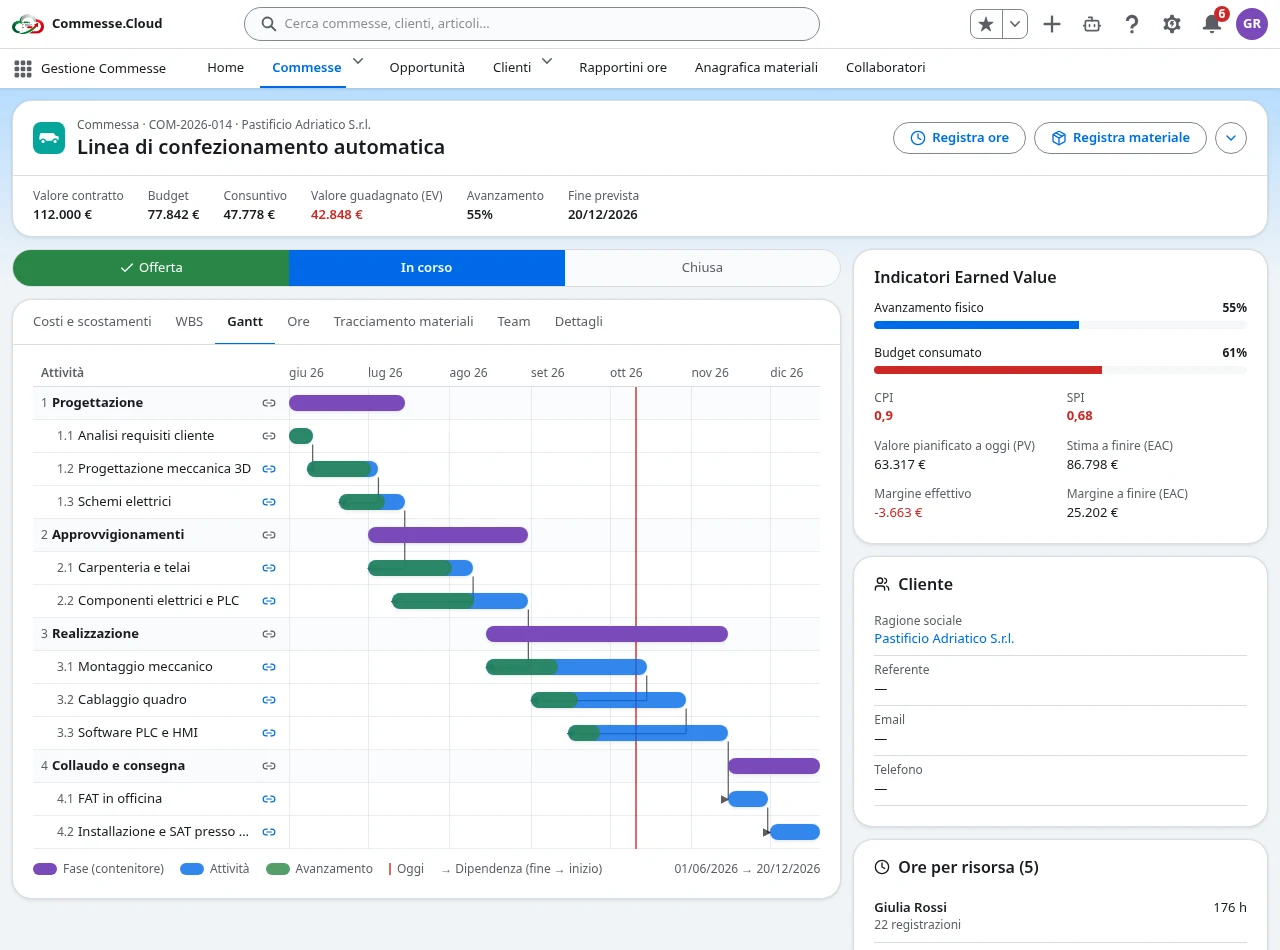
The work structure in the WBS
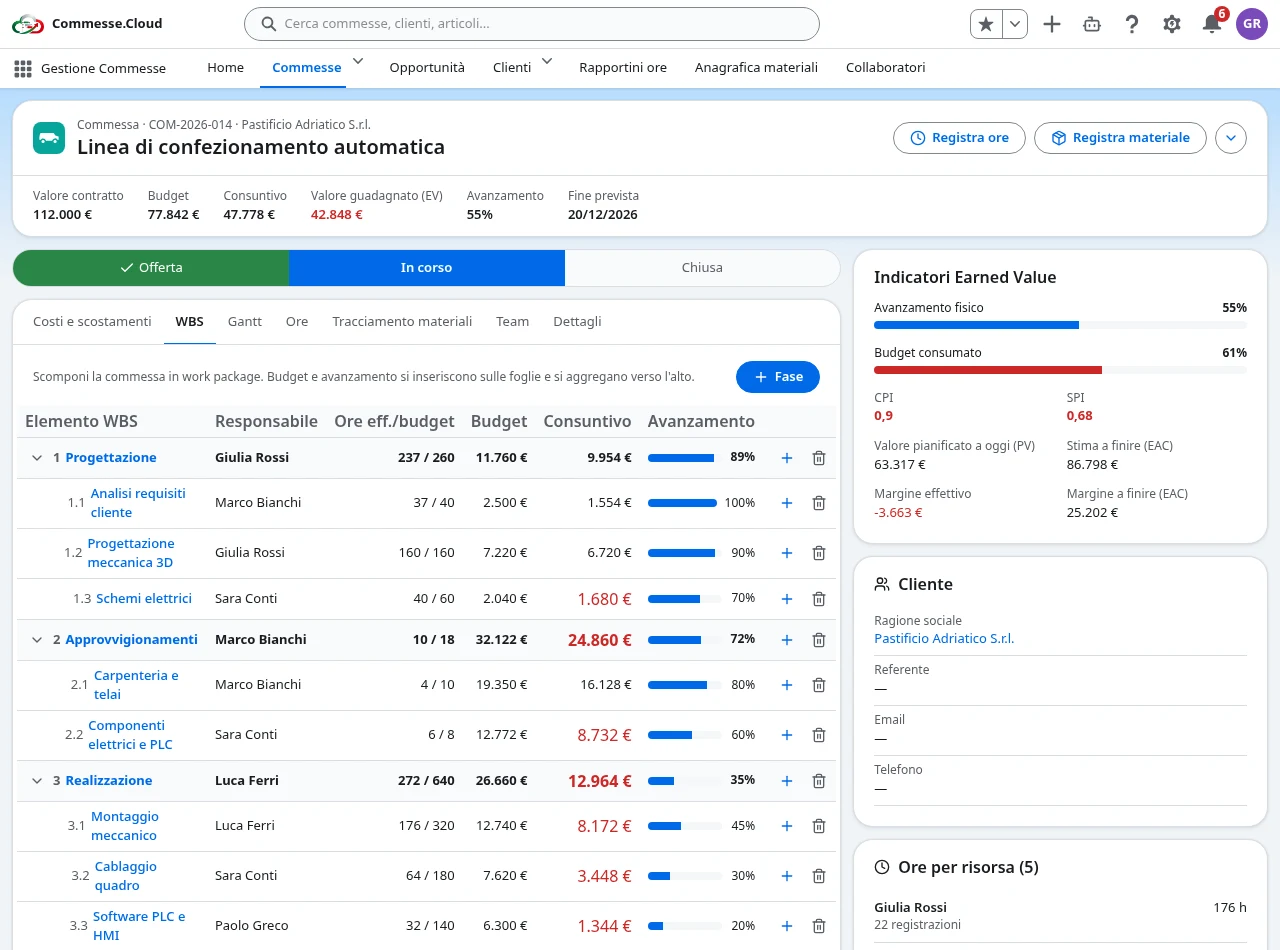
WBS and Gantt in your project
From project to work packages
Break the project down into a hierarchy of phases and tasks. Each work package has a code, a name and a place in the WBS, so planning and time reporting refer to the same work.
Dates and progress at a glance
The Gantt chart lays tasks out along the calendar. Bars show duration and progress, while the today marker helps you compare the plan with where the work actually stands.
Task dependencies
Link tasks with finish-to-start dependencies: one job can start once the previous one is finished. Links are visible in the Gantt chart, and cycle detection prevents inconsistent sequences.
Successors rescheduled automatically
When the plan changes, the dates of linked successor tasks are updated. Dependencies are respected even when you change dates from the WBS.
Step by step
In everyday work
- 1Create the project and organize the tasks in the WBS.
- 2Set the dates and link tasks that depend on one another.
- 3Check the Gantt chart and update progress as the work goes on.
A shared work plan, connected to the project’s hours, materials and costs.