
Commesse.Cloud · Features
AI assistant
An assistant inside your workspace, not a chat disconnected from your projects. Type, paste some text or dictate a message: the AI uses data from the projects you have access to, helping you take stock and prepare the hours to log.
Start for free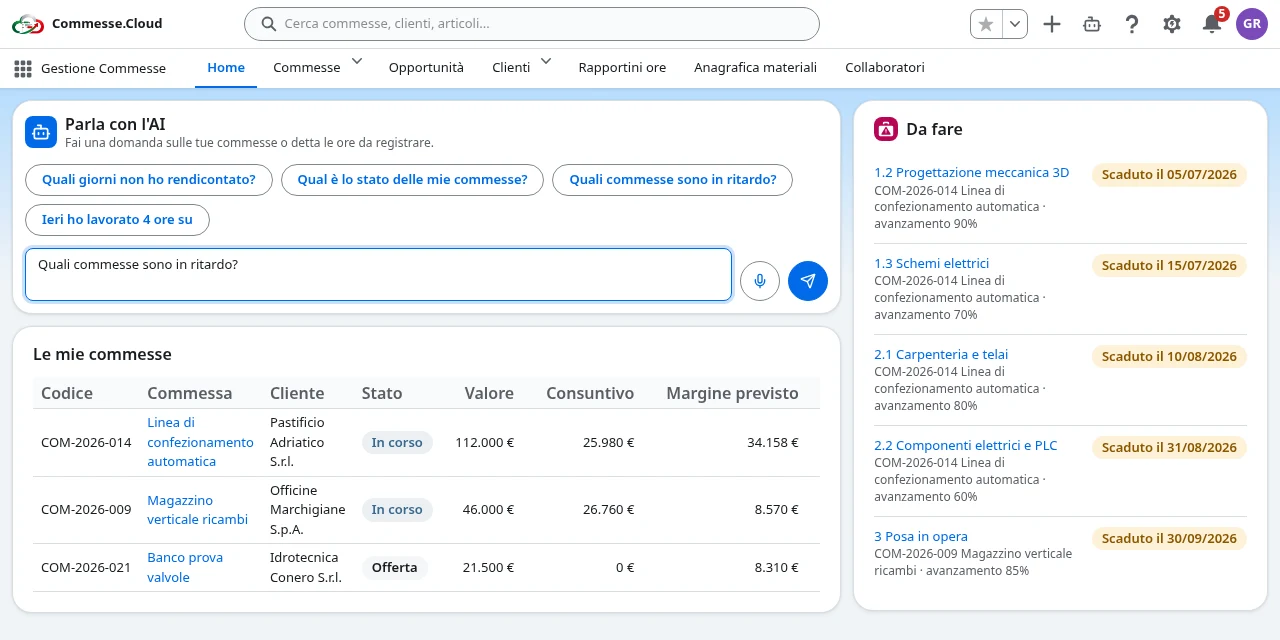
AI assistant in your project
A status update on your projects
Ask “What’s the status of my projects?” or “Which projects are behind schedule?”. The assistant summarizes the available data, tasks and progress to help you spot what needs attention.
Days to complete
With “Which days haven’t I logged?” you can check your entries and find days with missing or incomplete hours, without reconstructing everything at the end of the month.
Hours by text or voice
Type or dictate “Yesterday I worked 4 hours on the project…”. The transcription stays editable before you send it. The AI proposes a draft with date, project, task, hours and notes: you decide whether to confirm or discard it.
Answers that respect your role
The assistant only receives data already accessible in your workspace. Costs and margins are included only where you are authorized to see them; individual hourly costs stay visible to administrators only.
Step by step
In everyday work
- 1Open Talk to the AI from the Home page or the assistant button; on a smartphone it sits in the middle of the navigation bar.
- 2Type your text or record a message and check the transcription.
- 3Read the answer; to log hours, check the draft and confirm it explicitly.
Less time spent looking for information and filling in timesheets. Decisions and saving stay in your hands.
Clear quotas, usage under control
Each company shares a monthly quota: 10 calls on Free; 100 + 20 for each user beyond the first on PMI; 500 + 50 for each user beyond the first on Enterprise. A text question counts as 1 call, a voice transcription as 2. Administrators can check usage in the settings.
AI can make mistakes. Check answers and drafts before confirming them.
Compare plans