
Commesse.Cloud · Features
Projects and team
Every project has a shared space with status, dates, manager and tasks. Assign the team and bring planning, entries and operational documentation together in the same record.
Start for free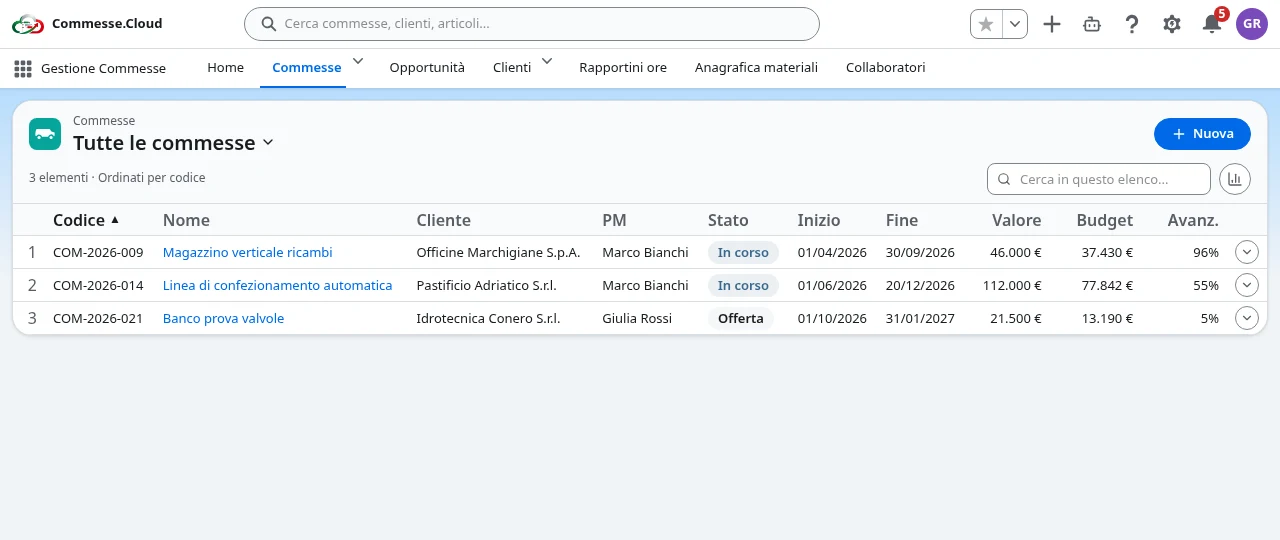
Projects and team in your project
One record for the whole project
Move from WBS and Gantt to hours, materials, team and details without losing sight of the project. The header keeps the key data in view.
Roles on every project
Assign managers, contributors and viewers. Operational access follows the assignments, while administrators manage the company organization.
Team members and invitations
Invite team members by email and manage company roles. On each project you can set different hourly billing rates for the same resource.
Search and security
Search projects, customers and items from the global bar. Data stays separate for each company, and accounts can turn on two-factor authentication with recovery codes.
Step by step
In everyday work
- 1Create the project and link the customer, manager and dates.
- 2Assign team members and each person’s role on the project.
- 3Follow tasks, hours and materials from the shared record.
A single source of truth for the team, with clear responsibilities and access that matches the assigned work.