
Commesse.Cloud · Features
Costs and profitability
A project’s value is not its margin. Commesse.Cloud ties together budget, hours worked, materials and revenue to help you understand how a project is going while it is still under way.
Start for free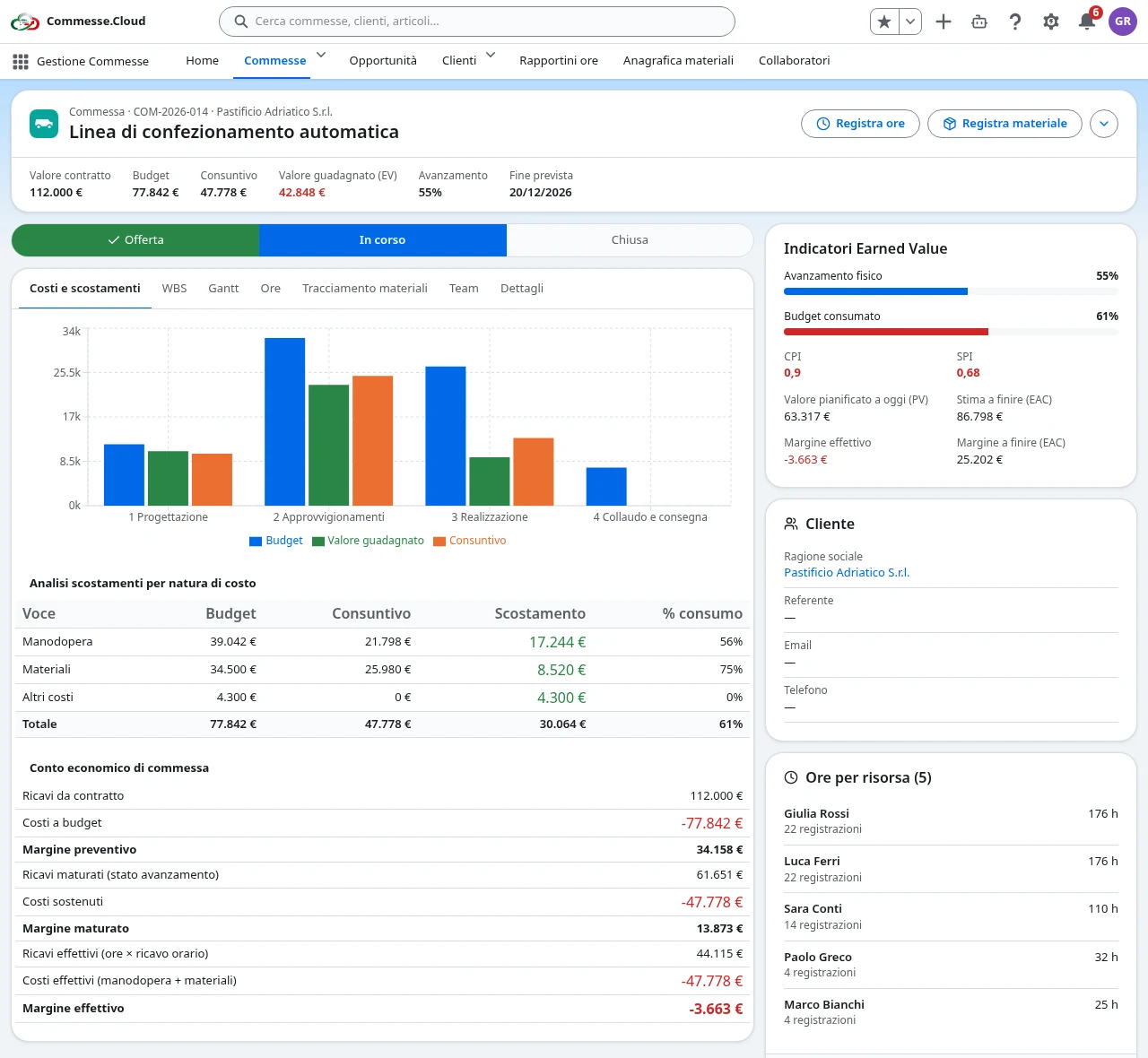
Costs and profitability in your project
Budget and actuals linked to the WBS
Plan task costs and compare them with the work actually reported. Project totals also include hours and materials logged without a work package, while WBS totals refer only to the tasks they were assigned to.
Cost and rate are not the same thing
Administrators manage each team member’s hourly cost at company level, with a history of changes. The hourly billing rate, on the other hand, is set per project: the same person can have different rates on different projects.
Revenue and margins from logged entries
Reported hours feed labor cost and hourly revenue according to the applicable rates. Materials add to actuals through quantity and unit cost; you can compare the results with the contract value and the budget.
Indicators and confidentiality
Earned Value indicators put progress side by side with financial control. Costs, actuals and margins are available to administrators and to managers of authorized projects; individual hourly costs stay visible to administrators only.
Step by step
In everyday work
- 1Set the project value, the budget and the team members’ rates.
- 2Collect hours and materials while the work is carried out.
- 3Compare actuals, revenue and progress to spot variances.
A financial view of the project based on the work actually logged, not just on forecasts.