
Projects and team
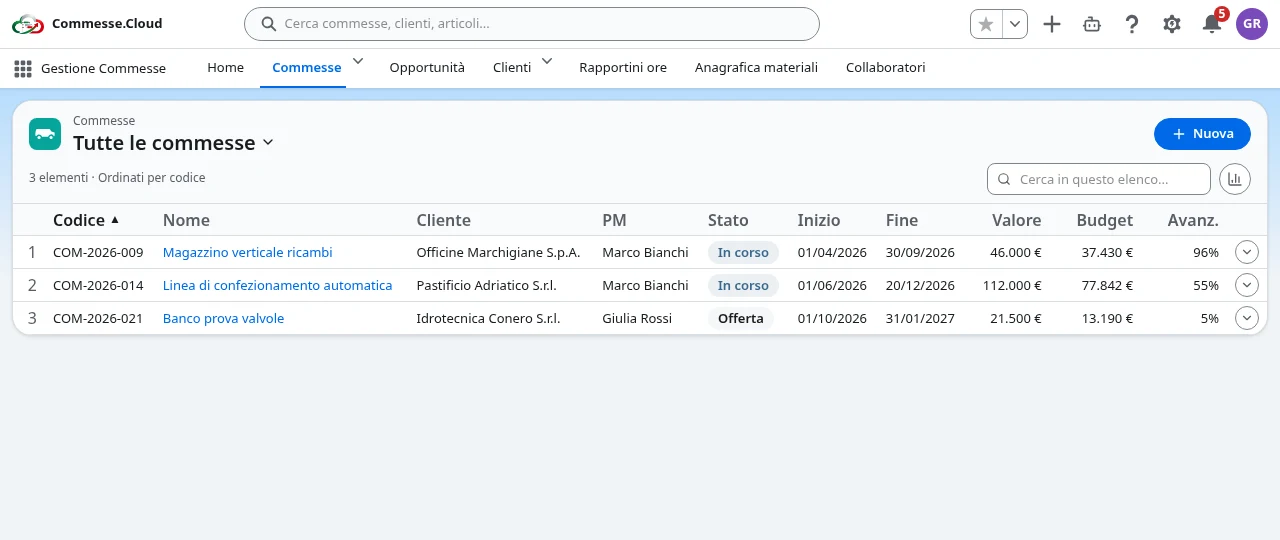
Organize projects, managers, team members and roles: one shared record for planning, hours, materials and keeping the work under control.
 Learn more
 Project management + AI for service SMEs
Every project under control, from quote to margin.
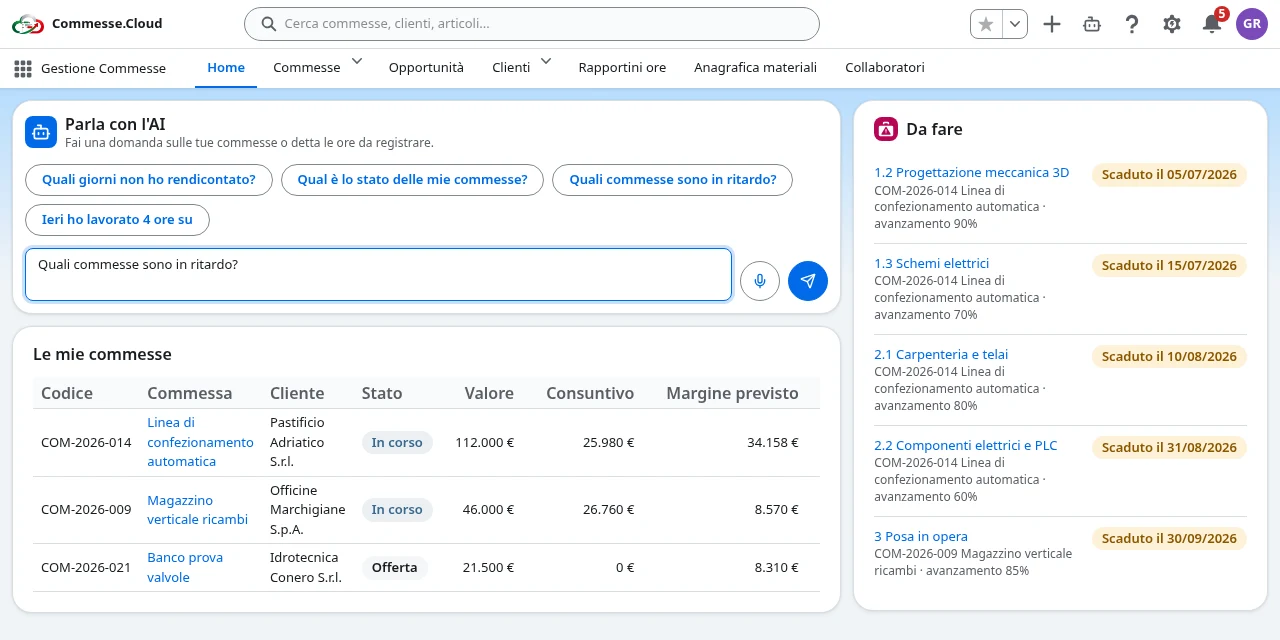
Plan the work, collect hours and materials, and keep margins in check. With the AI assistant you get a quick status on your projects and prepare timesheets by typing or speaking. The whole team works on the same project, each with their own permissions.
No credit card · 10 AI calls a month on the Free plan
Why switch
Paper and WhatsApp timesheets gathered at the end of the month
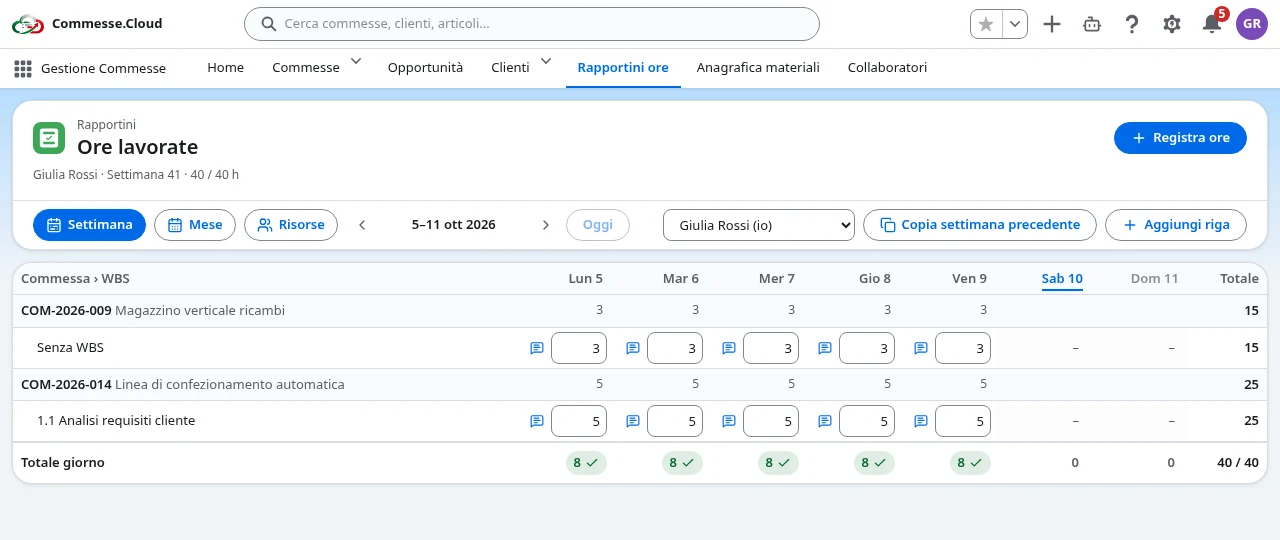
Hours logged every day from a smartphone, by project and task
You only find out the margin once the job is finished
Budget, costs and revenue compared in real time
Calendars and Excel sheets that never line up
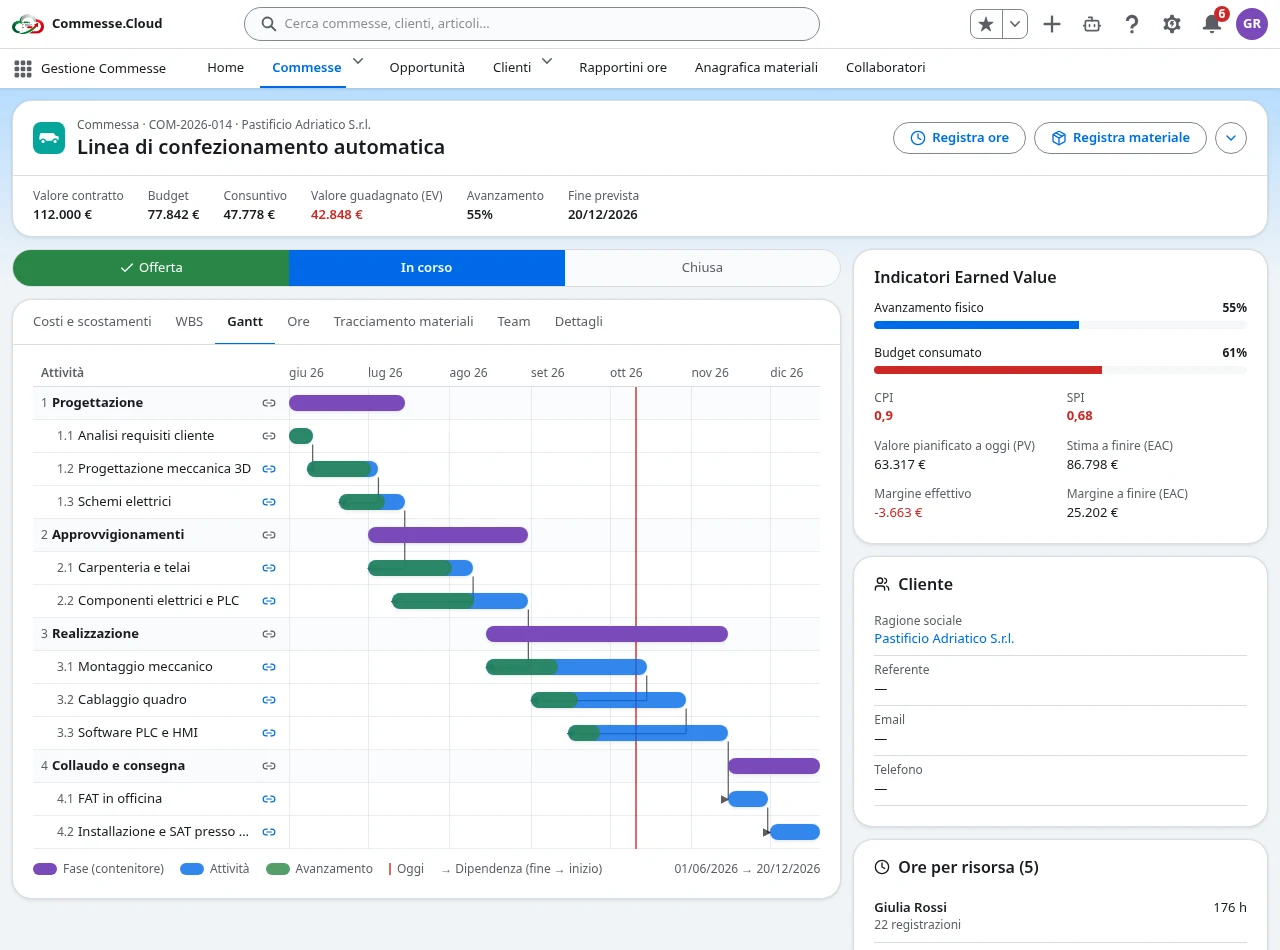
A Gantt chart with dependencies that reschedules dates automatically
Features
Organize projects, managers, team members and roles: one shared record for planning, hours, materials and keeping the work under control.
Learn more Plan your projects with a hierarchical WBS and a Gantt chart showing task dependencies and progress.
 Learn more
 Log the week’s hours by project and work package straight into a grid, with a monthly calendar, checks for incomplete days and a team view.
 Learn more
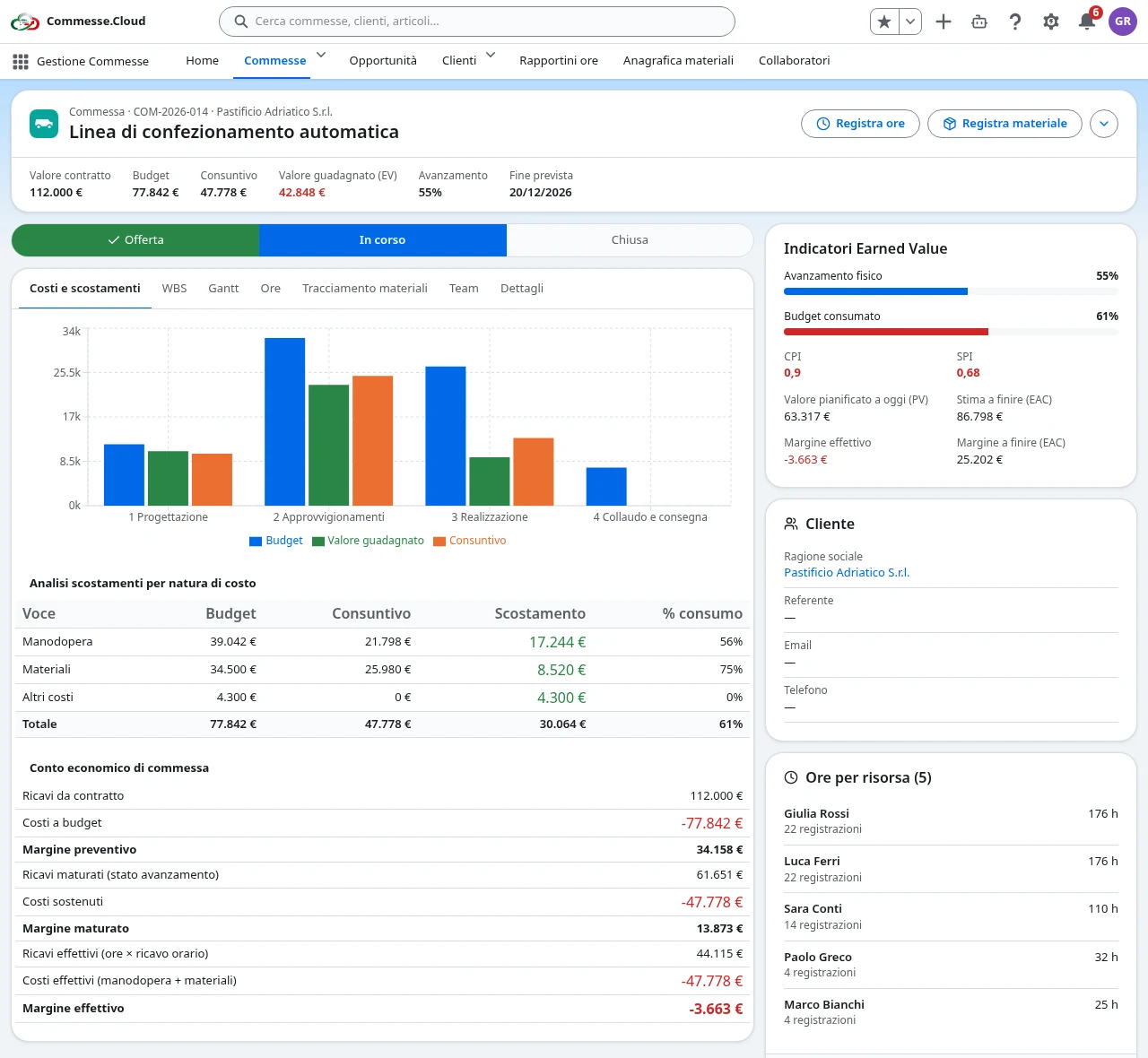
 Compare budget with actuals, cost hours and materials, and track revenue, margins and Earned Value indicators for each project.
 Learn more
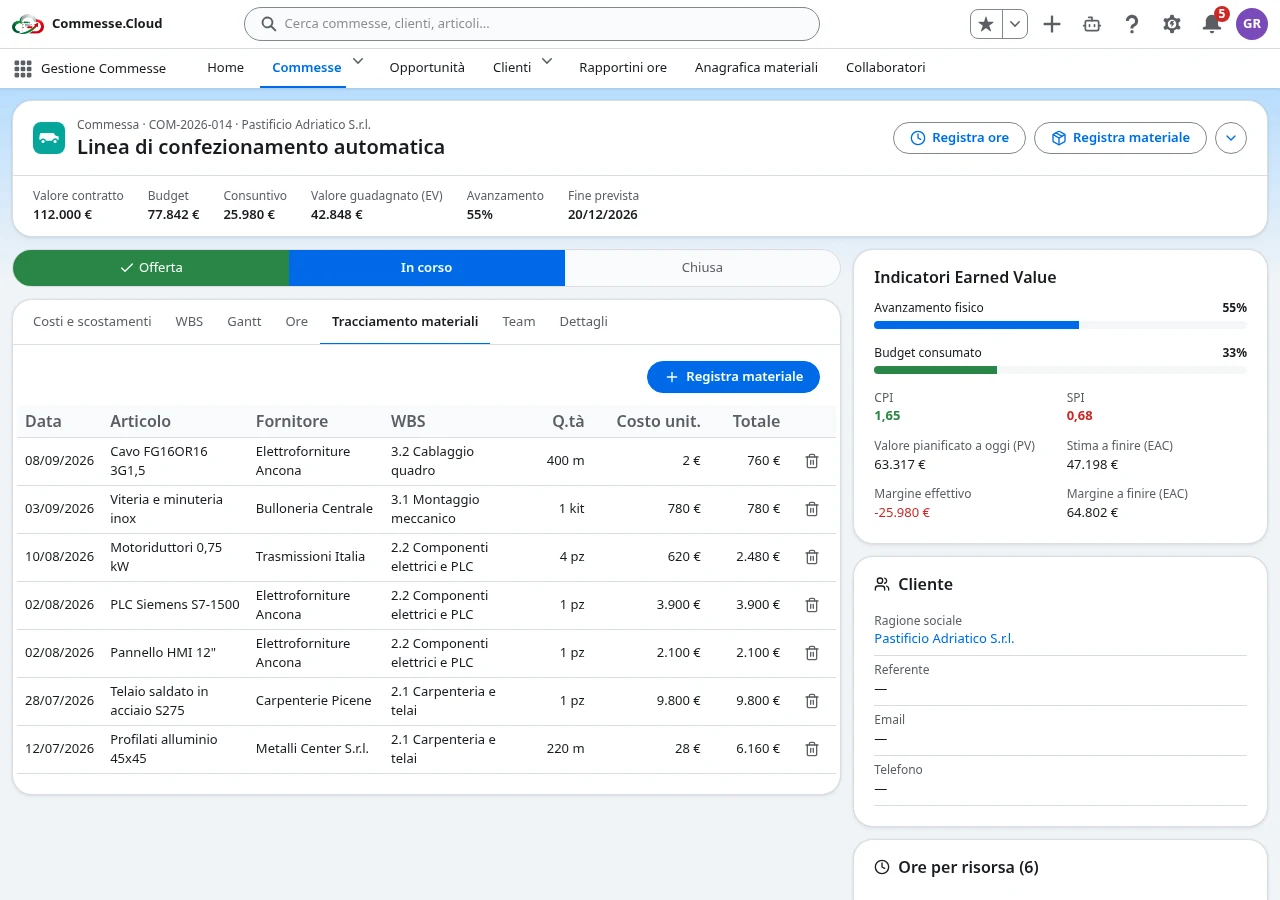
 Manage your materials catalog and log withdrawals and purchases by project, with quantities, costs and an optional work package.
 Learn more
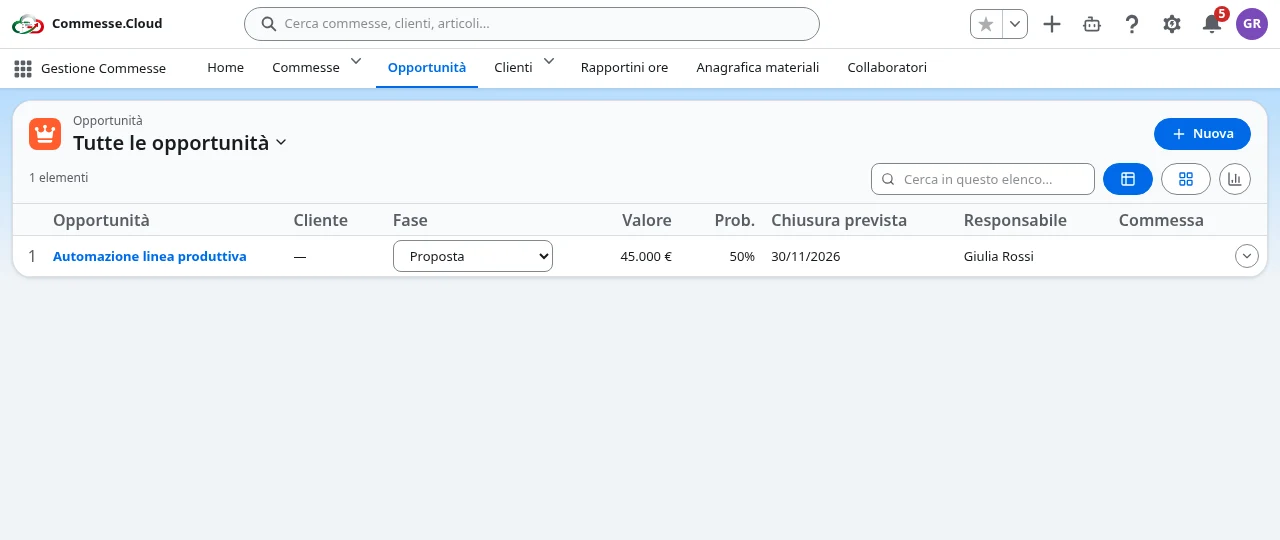
 Manage your customer records and sales pipeline, from negotiations to won opportunities ready to become projects.
 Learn more
 AI in everyday work
Project manager
Get a status update on tasks and progress, using data from the projects you have access to.
Team member
Find the days still to complete and prepare the hours to log without piecing the week back together.
By voice, from your smartphone
Dictate your hours, check the text and confirm the draft before it is saved.
Only the data your role allows. No hours saved without your confirmation.
Explore the assistant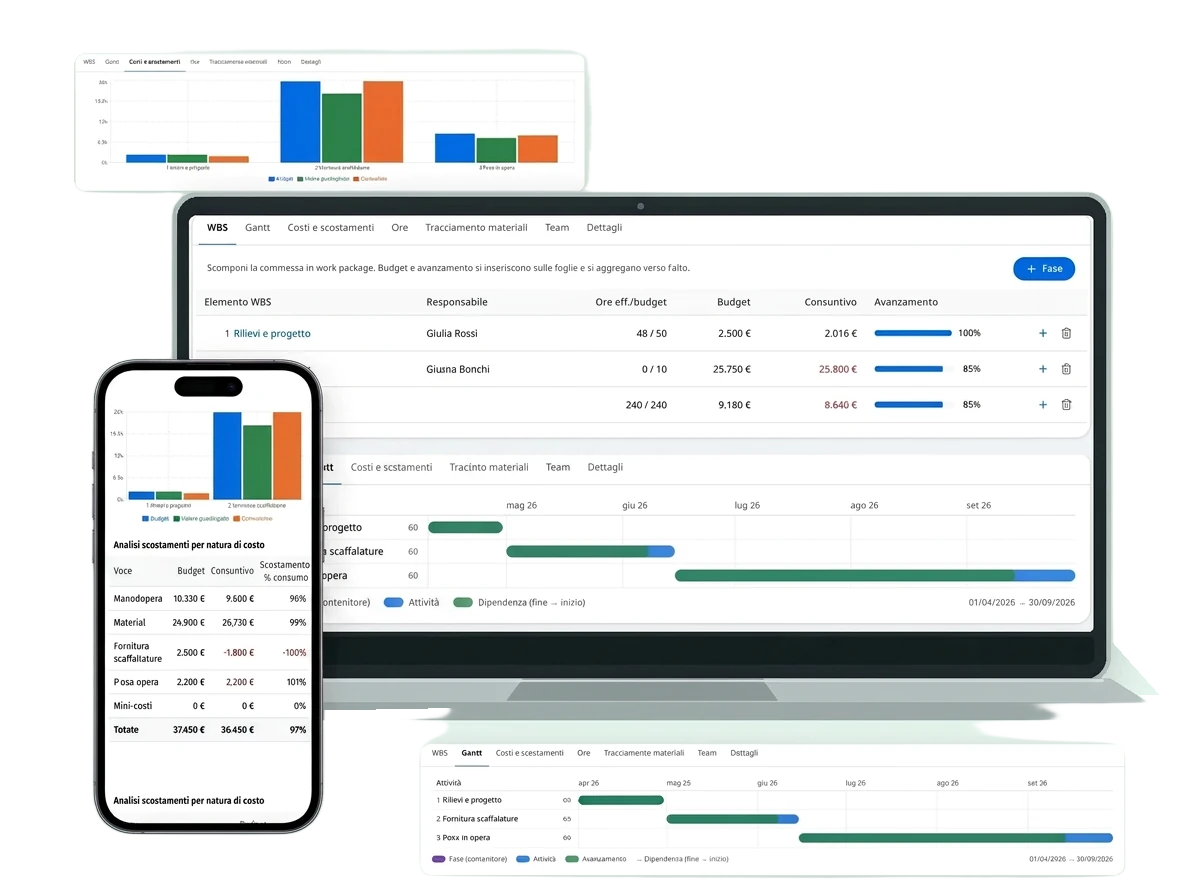
Pricing
Guides and resources for SMEs
The quoted margin and the actual margin rarely match. Here’s how to calculate it properly, taking hours, materials and hidden costs into account.
07/10/2026
Signing up is free and no credit card is required.
Yes, every page is designed for small screens too: logging hours takes just a few seconds.
No. Costs and margins are visible only to administrators and to the project’s managers.
No. For hours it proposes a draft for you to check and confirm. It only receives data your role can already access, and it can make mistakes: always check its answers before using them.
Yes, every plan includes a monthly quota shared across the company: 10 calls on Free, 100 + 20 for each user beyond the first on PMI, 500 + 50 for each user beyond the first on Enterprise. A text question counts as 1 call and a voice transcription as 2.
Each company’s data is kept isolated, with protected access and optional two-factor authentication.